All solutions

Websites for established consulting and IT firms

Give larger clients a clear reason to shortlist your firm

Your website should help new clients understand your expertise before the first meeting

We help consulting and IT firms explain their services, show relevant work, and give buyers a clear next step

Case study

Crisis Management Centre

Find the right help under pressure

The Centre helps teams plan for a crisis and respond when one happens

Eric built its website to make that help easy to find

The work
Organise the content and build the website
Built by
Eric, founder of Doceva
Visit the live website
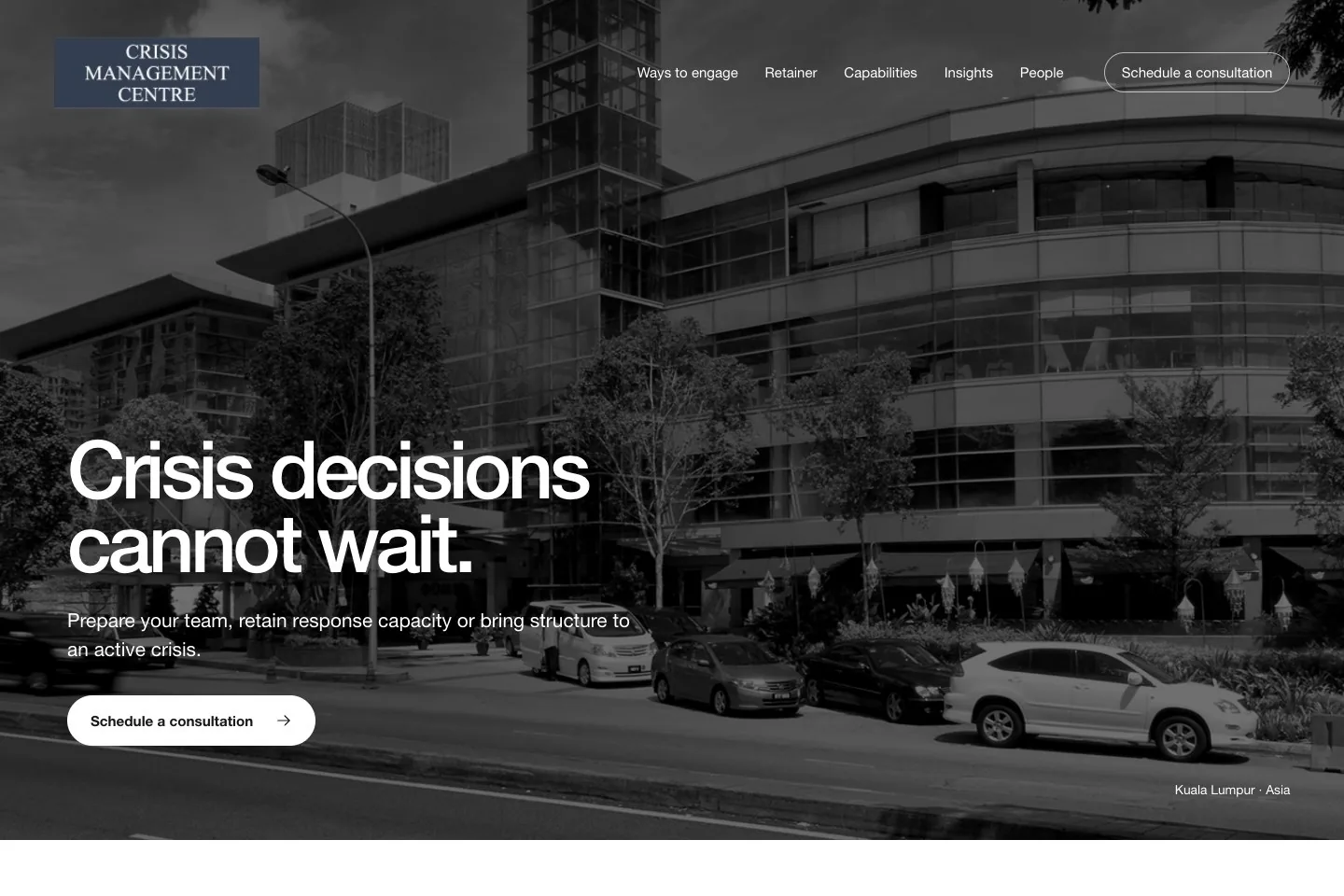
Crisis Management Centre homepage with a clear headline, building photo, and button to book a call
Website project by Eric
Preview from his portfolio

The goal

Help people find what they need fast

Someone facing a crisis may not have time to read a long page, so the site needed to put key choices first

A visitor should be able to answer three questions:

  • Can you help with my problem?
  • What kind of support can I get?
  • How do I reach you?

Eric's role

Make the content clear, then build it

Eric organised the content and built the website for quick reading under pressure

Content
Group the services by what a visitor needs
Website
Build the pages, menus, and path to contact the team
Mobile
Fit the layout and menu to smaller screens

Site structure

Three ways to get help

The homepage starts with what the visitor needs, explains each type of support, and gives them a way to contact the Centre

  • Need help now?

    Manage a crisis

    Support for a crisis that is already happening

  • Want to be ready?

    Prepare your team

    Plans, training, and practice before a crisis happens

  • Need ongoing help?

    Keep support ready

    Book a set number of hours for advice and support

Design & mobile

Calm pages with clear choices

Large headings and open space make the key points stand out

Building photos give the pages a calm setting without getting in the way of the words

On a larger screen

A wide photo sets the scene, with the main message and contact button together where visitors can find them

On a phone

The page uses one column, a full-screen menu, and a photo chosen to fit the smaller space

Content tools

Easy to read and update

Service pages explain what each service covers and answer common questions, while a resource library brings useful reading together

A private editor lets the team change text without writing code, check a draft, and publish when ready

  1. Edit

    Change the words on the page

  2. Preview

    Check the draft before it goes live

  3. Publish

    Make the update public when ready

What shipped

A complete website

The build brings the Centre's services, useful reading, and contact details into one place

  • A homepage with three clear support routes
  • Six service pages with common questions
  • About, contact, and resource pages
  • Layouts for phones and larger screens
  • Tools to edit, preview, and publish content

Make your website reflect the firm you have become

Your services have grown and your team has deeper expertise

Your website should show that progress to people who have never met you

New clients need to see the problems you solve, the experience you bring, and whether you fit their needs

We build your website around those choices

Make your specialism clear

Help clients see where your expertise fits their business

We group your services by the problems you solve, who you help, and what working with you involves

Make your experience relevant

Give buyers proof they can assess

We organise your past work, case studies, and team skills so buyers can see how your experience fits their needs

Start better-informed sales conversations

Help people tell you what they need before the first call

Clear service pages and focused enquiry forms give them the context to ask useful questions

Before we start, your proposal lists the pages, who provides the content, any tools to connect, and support after launch

Need more than a website?

If disconnected tools slow down client work, we can plan an app or client portal around those needs

Bring getting started, sharing updates, and delivering services into a simpler flow

Built around how your next clients choose a consultancy

We start with the clients you want to attract and the services you want to grow

The questions buyers need answered guide the words, page layout, design, and build

Each page explains your value, backs it up with proof, or helps the right client take the next step

  1. 01

    Plan

    Agree who you want to reach, what buyers need to know, and who will do each part

  2. 02

    Design

    Review the words and page designs before we build

  3. 03

    Build

    Build the site and check it together on phones and larger screens

  4. 04

    Launch

    Test the contact form, put the site live, and show you how to use it

One team to count on

You hire Doceva LLC to lead the full project

We are responsible for the work, and you come to us with questions

In partnership with Highland Creatives

Highland handles strategy, growth, and design while Doceva brings the technology

When can it go live?

We agree the schedule once we know what you need

The launch date depends on the content, tools to connect, and time your team needs to review the work

Hi, I'm Eric

I started Doceva in Kuala Lumpur to build thoughtful websites and apps for businesses

Our work now spans Kuala Lumpur and Bangalore with Angelina Sunder, founder of Highland Creatives

I'm your starting point for a website project

Meet the people behind the work

Tell us which clients you want to win next

We'll discuss your current website and the work you want to win

We'll look at what new clients need to understand before they contact you

Book a website consultation

Prefer to write first?

Sent to Doceva to discuss this project
Please don't share private details about your clients

Prefer email?